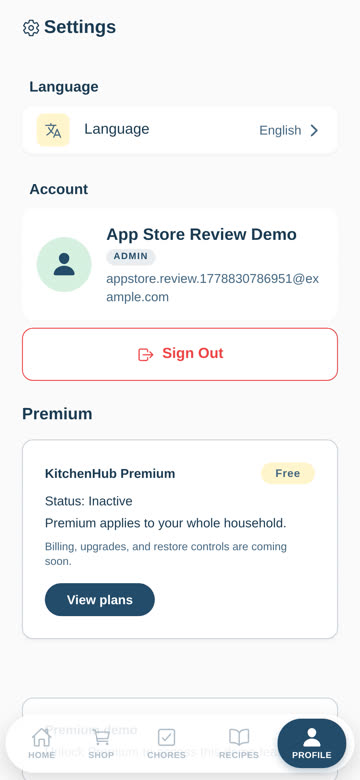
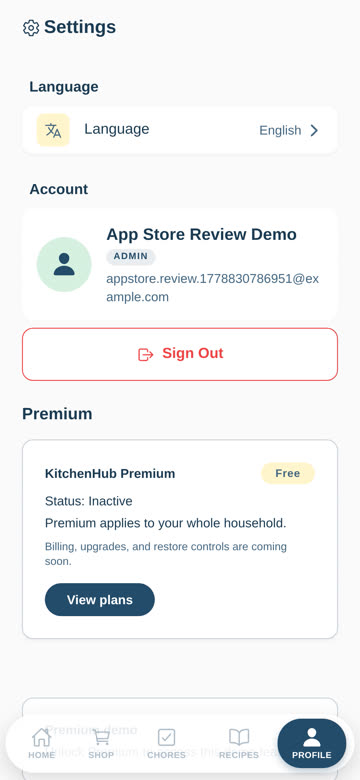
Open Settings
Tap the Profile / Settings tab in the bottom navigation.
FullHouse / Kitchen Hub
This page explains how FullHouse users can delete their account from inside the app, or request deletion by email if they cannot access the app.
Open FullHouse, sign in, then follow these steps. Account deletion is permanent and cannot be undone.
Tap the Profile / Settings tab in the bottom navigation.
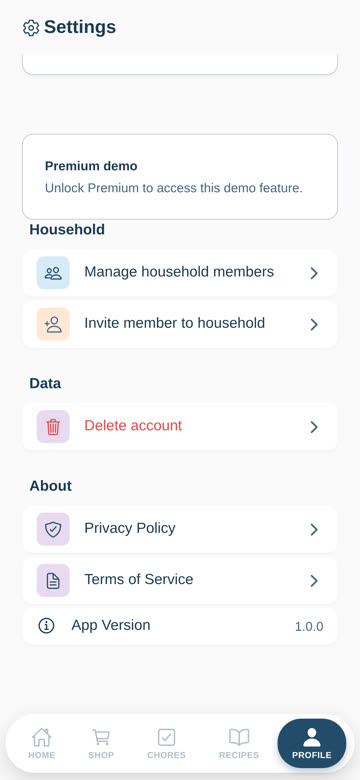
Scroll down in Settings and tap the Delete account row.
Read the confirmation message and tap Delete permanently.
Email yair.solutions.19@gmail.com from the email address used for your FullHouse account and write: “Please delete my FullHouse account.”
If you cannot send from the account email, include the account email and enough information for us to verify ownership.
When your account is deleted, FullHouse deletes or disassociates account data associated with your user account, including:
Some limited records may be retained when required for legal, security, fraud-prevention, payment, tax, or compliance reasons. For example, app store purchase records may remain with Google Play, Apple, or our subscription provider according to their policies.
Email deletion requests are normally processed within 30 days. Some backups or legally required records may remain for a limited additional period before being deleted or anonymized.